


Your browser was unable to load all of the resources. They may have been blocked by your firewall, proxy or browser configuration.
Press Ctrl+F5 or Ctrl+Shift+R to have your browser try again.

Publishing markdown report issue #4685

kururin ·

Hello
Working with QB 15.0.37.

I can't use the "Markdown Report" step.
It is configured that way:
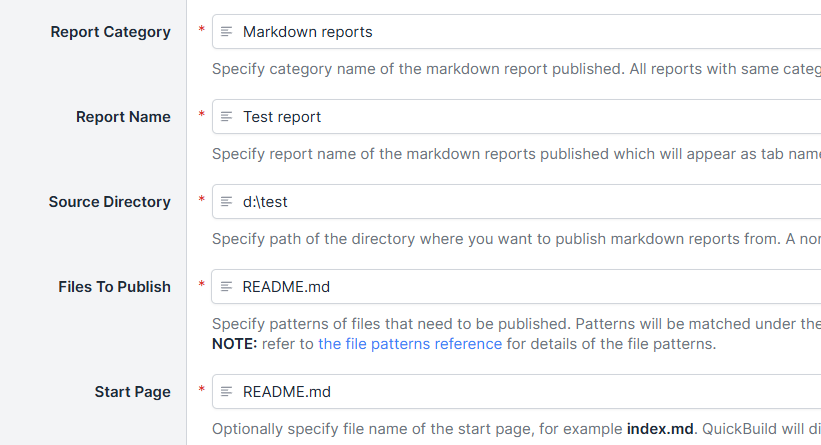
image.png

But at the end the file is not published:

image.png

It always looks for index.html (html, not md).
Is there a bug or am I doing anything wrong?

Thank you

  • replies 2
  • views 28
  • stars 0
steveluo ADMIN ·
kururin ·

Ah yes indeed. Thanks for the workaround!