

Your browser was unable to load all of the resources. They may have been blocked by your firewall, proxy or browser configuration.
Press Ctrl+F5 or Ctrl+Shift+R to have your browser try again.

Missing css #4686

kururin ·

Hello
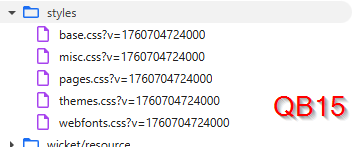
Since QB14 (I think), it seems fontawesome.css is not embedded anymore.

QB11:
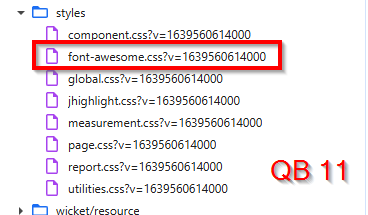
image.png

QB15:
image.png

The consequence is (for example) that the spinning wheel is not working:

image.png

We fixed it by importing fontawesome in the CSS Customization panel but I guess it's a bug.

Thank you :)

  • solved #3
  • replies 2
  • views 28
  • stars 0
steveluo ADMIN ·

Hi@kururin

We have replaced icons from fontawesome with SVG images since QB14. If you can't see the animation, maybe it is disabled by your OS. If you are using Windows, you may check below settings:

In Windows 10: Settings > Ease of Access > Display > Show animations in Windows.
In Windows 11: Settings > Accessibility > Visual Effects > Animation Effects

kururin ·

Ohhh... didn't know that. Enabling Visual effects fixed the problem.
Thank you :)